


Import into a project
Open your artwork in Illustrator, choose an existing QuiltLab project or create a new one, and import it as a new Canvas. Review any skipped artwork, then open the Canvas to continue editing.
QuiltLab for Adobe Illustrator
Keep drawing in the tools you know. Import supported vector artwork into a QuiltLab Canvas, or take supported Canvas and block artwork back to Illustrator.
Free plugin for Mac. Illustrator 2025 or 2026 (29.0-30.8.2). A QuiltLab account and internet connection are required; normal account limits apply.
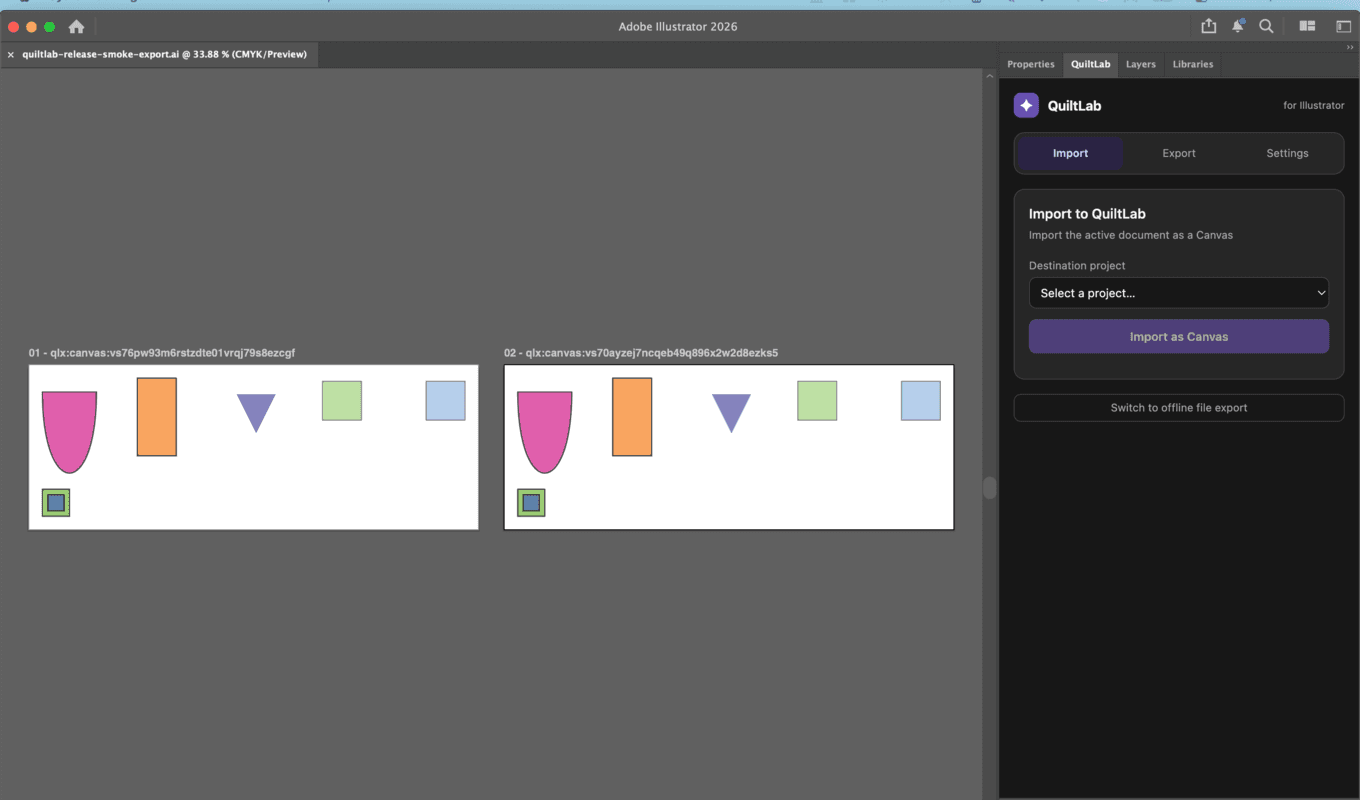
Your artwork, in both places
Open your artwork in Illustrator, choose an existing QuiltLab project or create a new one, and import it as a new Canvas. Review any skipped artwork, then open the Canvas to continue editing.
Choose a QuiltLab project and review its export preview. Supported Canvas paths and vector blocks become artwork in a new Illustrator document, ready for further editing.
Get the plugin from Adobe Marketplace and complete installation in the Creative Cloud desktop app.
Save your work, restart Illustrator, then choose Window > Extensions > QuiltLab. Some versions call it Extensions (Legacy).
Choose Sign in to QuiltLab and approve the connection in your browser. Return to Illustrator to import or export.
The plugin works with supported vector artwork. Each import creates a new Canvas, and each export creates a new Illustrator document. Changes are transferred when you choose import or export; the two apps do not automatically synchronize.
Quilt layouts, patterns, raster-fabric round trips, and automatic restoration of QuiltLab asset identity are not supported in this release. Review the preview and conversion notices before continuing.
Available for Mac. Windows support is not offered for this release.