


Block design
Block Editor: Draw and Reuse Quilt Blocks
Draw pieces, assign fabrics and save blocks for your quilt layouts.
Updated
Sep 14, 2026
Read time
4 min
Level
Beginner
Start or open a block
Open the Block Editor, or reopen a block from My Blocks. Use the File menu for document actions. Name the block and check its dimensions before drawing.
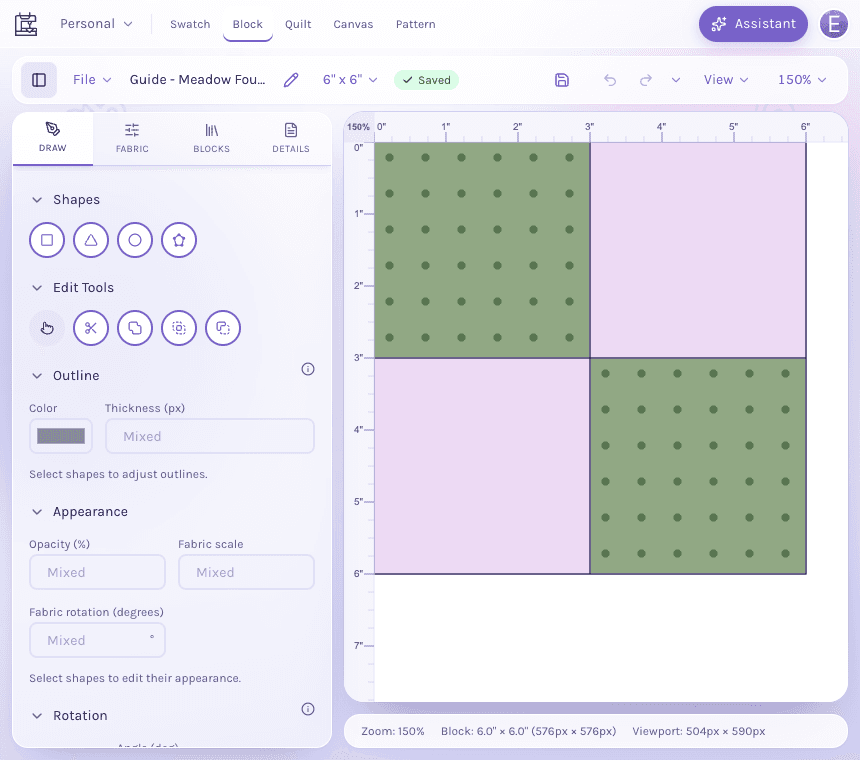
The Draw panel sits beside a complete four-patch block, with shape tools above the piece controls.
View full-size imageDraw pieces and choose fabric
Choose a drawing tool, then draw on the canvas. Use Select to adjust pieces. The sidebar exposes shape properties and fabric choices. Select one or more pieces before changing their fabric or measurements. Use Undo or History to revisit changes in the current editing session.
Block Editor help and shortcuts, in the QuiltLab menu at the top left, opens the current keyboard reference. For example, Enter finishes a polygon draft and Escape cancels it. Shortcuts apply when an editor control is not using the keyboard for text entry.
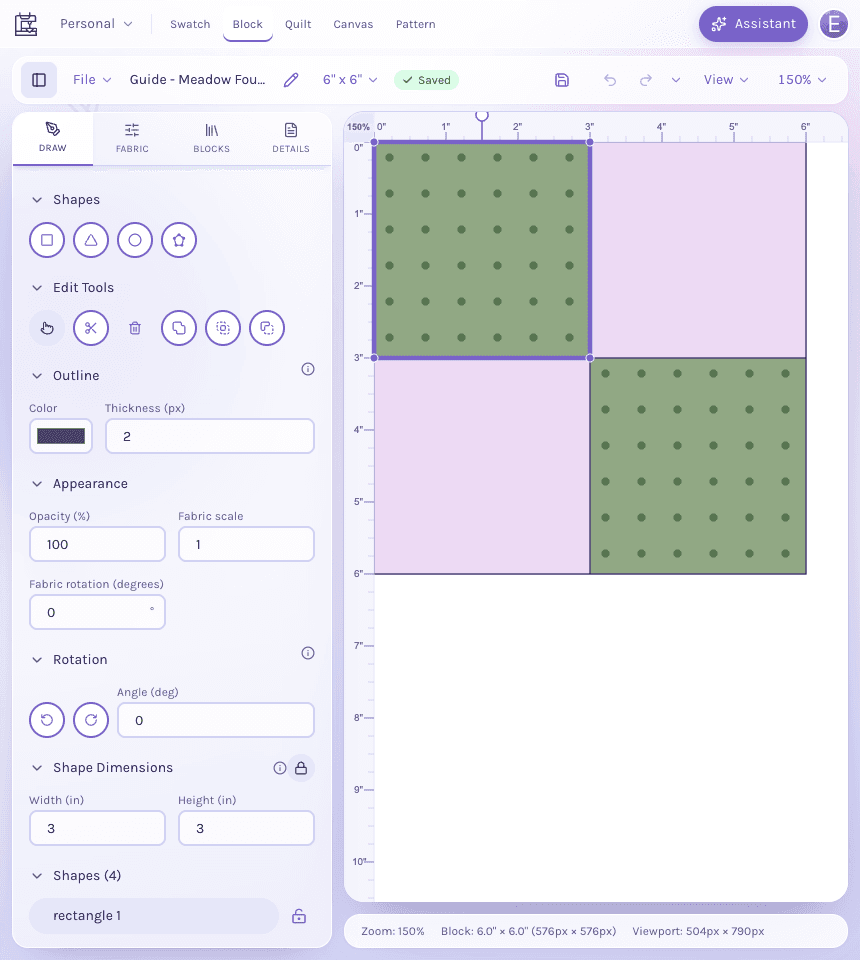
Select a piece to show its outline, rotation and dimensions. This square is 3 inches wide and 3 inches high.
View full-size imageRead the demonstration steps
In the Block Editor, choose Select and click the upper-left piece of the four-patch block. The inspector shows its three-inch width and height. Click the clockwise rotation button in the Rotation section. The selected piece rotates fifteen degrees and the Angle field reads 15. Click Undo in the toolbar. The piece returns to its original position and the Angle field reads 0.
Read the descriptive transcript or open the video if playback fails.
Save for later
The badge shows New block on an empty new block, then Unsaved changes, Saving, Saved, or Couldn't save. Use Save for an immediate save. In a project, Saved privately means the edit is your private draft; Save to Project updates the shared version.
Use the block in a quilt
Open the Quilt Editor, choose a block from its library and place it in the layout. Existing quilts can review library changes through Block updates; saving a new block version does not silently replace every placed block. See reviewing block updates.
Recover an interrupted edit
If offered a recovered draft, review it before restoring or discarding it. Keep the editor open when a save fails. See Saving, recovery and projects for private drafts, conflicts and ownership.