Does QuiltLab write the complete pattern for me?
You author and review the instructions. The Pattern Builder provides page layout, text, artwork and diagram tools; a drawing or AI suggestion still needs your construction and sewing checks.
For quilt pattern makers
Bring your instructions, diagrams and quilt artwork together in one place. Arrange the pages, reuse your formatting, and check the PDF before sharing it through your own channels.
Use a desktop or laptop. Sign in to save and export; your plan’s PDF allowance applies.
View sample PDFFrom your idea to your next step
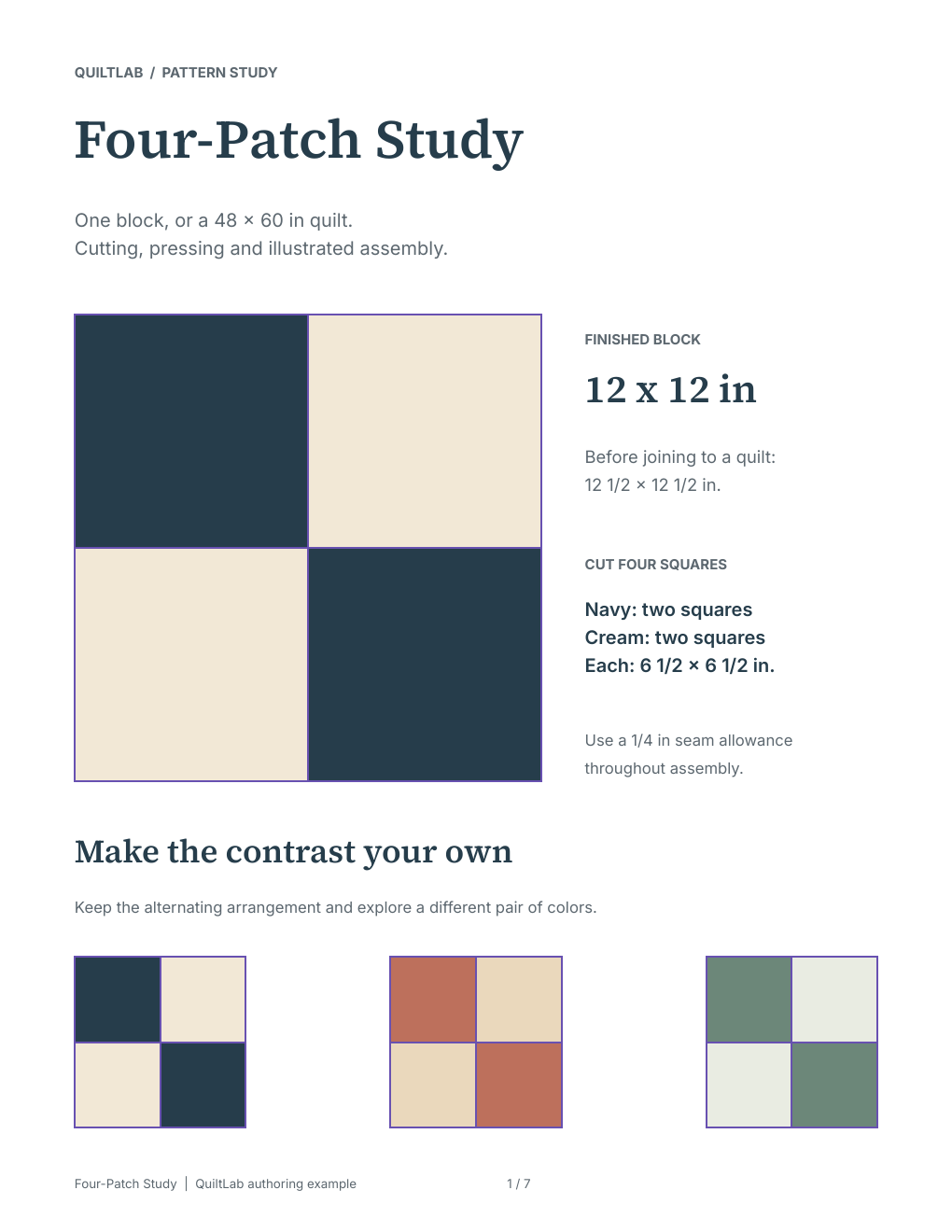
Create your block and quilt artwork in QuiltLab, then choose the images, diagrams and written instructions your pattern needs.
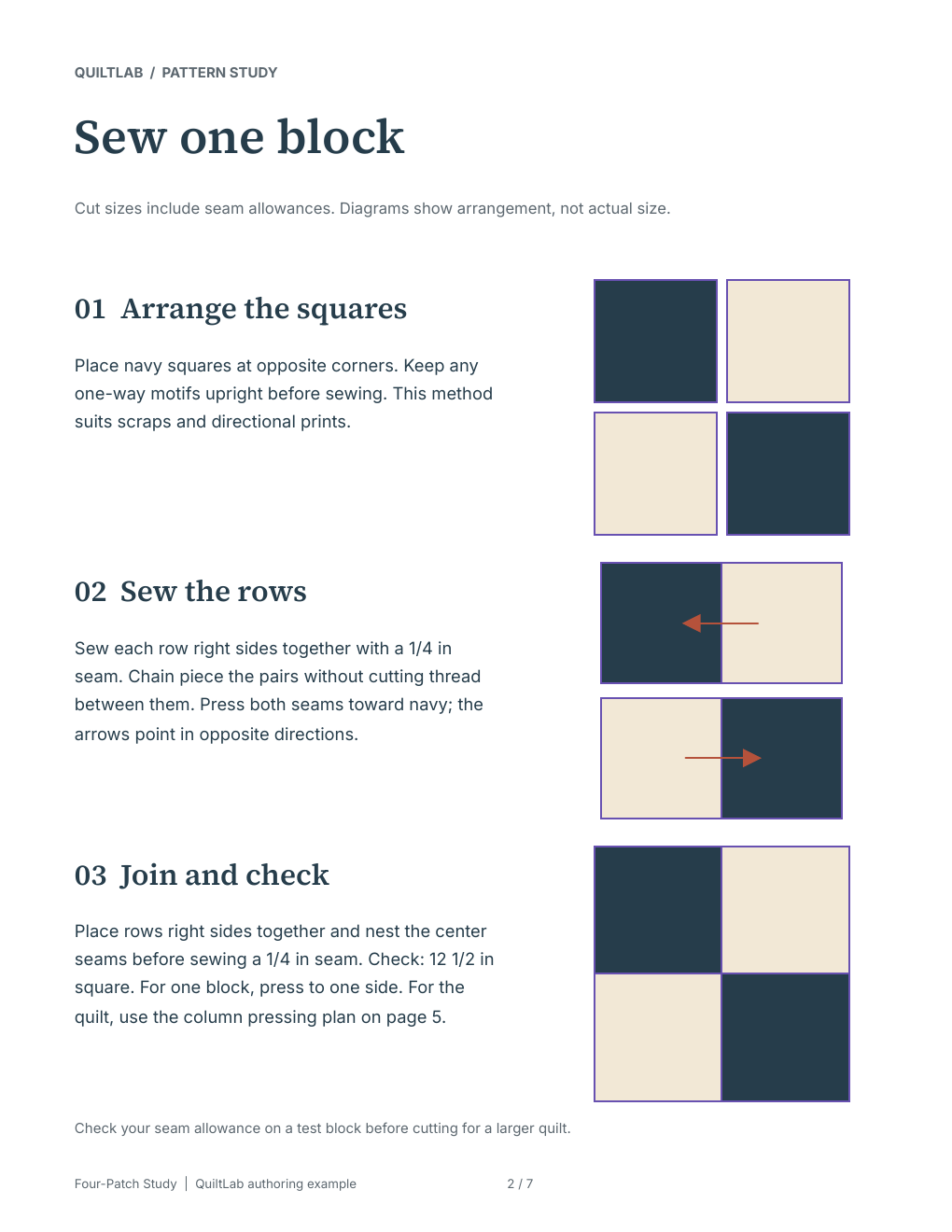
Arrange text and artwork, add illustrated steps, and reuse styles or page templates to keep the pattern consistent.
Check the layout and download a PDF. Open the exported file and review every page before printing or distributing it.
Inside the app
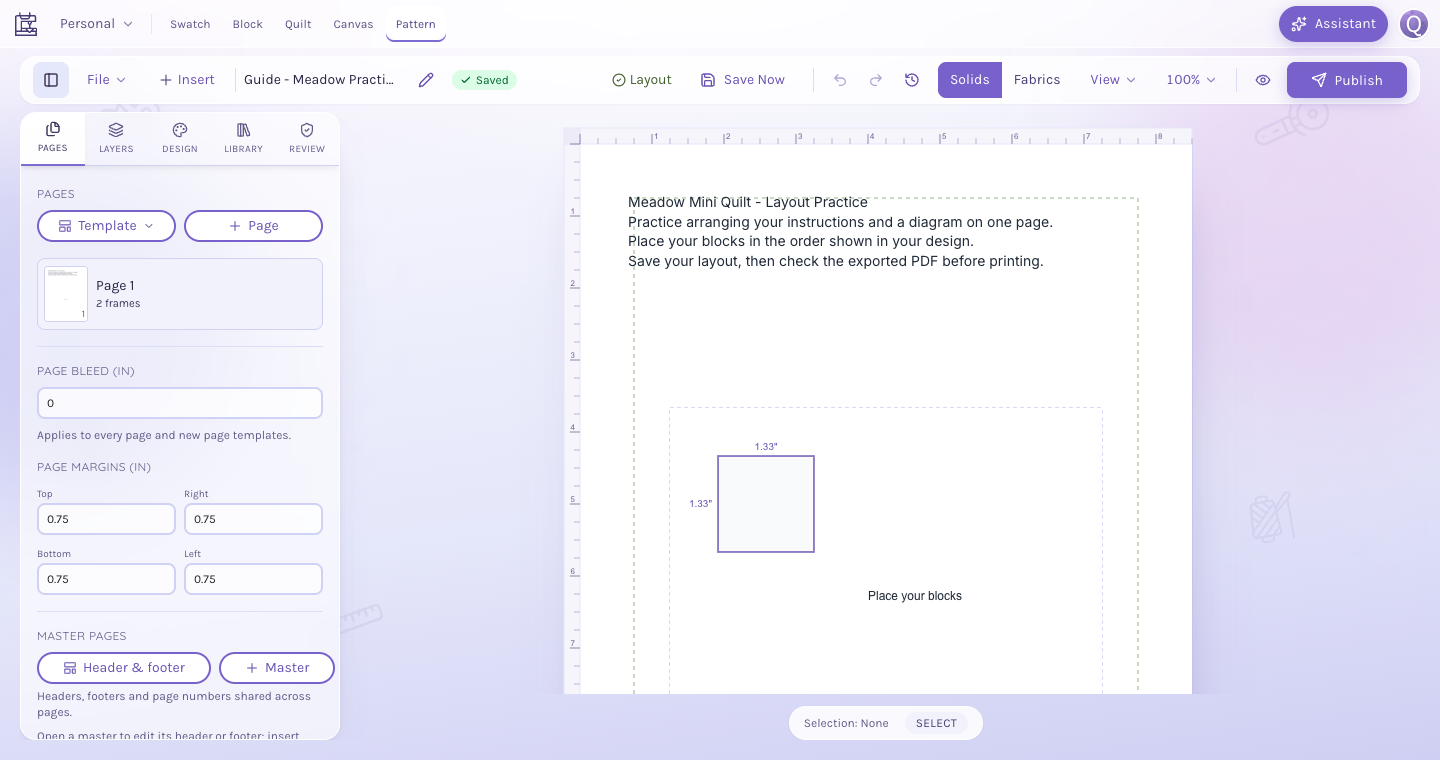
Keep control of the instructions and the order of each step. Place text beside the illustrations that explain it.
Bring blocks, quilts and supported artwork into the document. Open a diagram to refine its geometry or labels, then return to the pattern layout.
Saving keeps the editable document in your account. Exporting a PDF and publishing a public pattern are separate actions, so you choose when a pattern is ready to leave your workspace.
You author and review the instructions. The Pattern Builder provides page layout, text, artwork and diagram tools; a drawing or AI suggestion still needs your construction and sewing checks.
Yes. Use File > Export PDF, wait for the download, then open and inspect the file. An account is required for saving and exporting, and your plan’s PDF allowance applies.
You can prepare a PDF for distribution through your existing channels. Check that you have permission to use the artwork and fabric images you include, and review the finished document before sharing it.
Patterns can belong to a project with members and roles. Authorized editors can work on project assets; viewers have read-only access. Use the project’s sharing controls to choose who can access the work.
Start with the tools for this project, then keep shaping it in QuiltLab. The editors work best on a desktop or laptop browser.
Start a patternUse a desktop or laptop. Sign in to save and export; your plan’s PDF allowance applies.